

The Limo Anywhere Online Reservation System has introduced the SMS Opt-In option that will make the booking form completely 10DLC compliant.
What is 10DLC?
10DLC (10-Digit Long Code) compliance is a mandatory registration framework for US mobile carriers (Phone.com, Ring Central, AT&T, T-Mobile, Verizon) that verifies business identities to send A2P (Application-to-Person) text messages via local numbers.
Setting up the SMS Opt-In Option
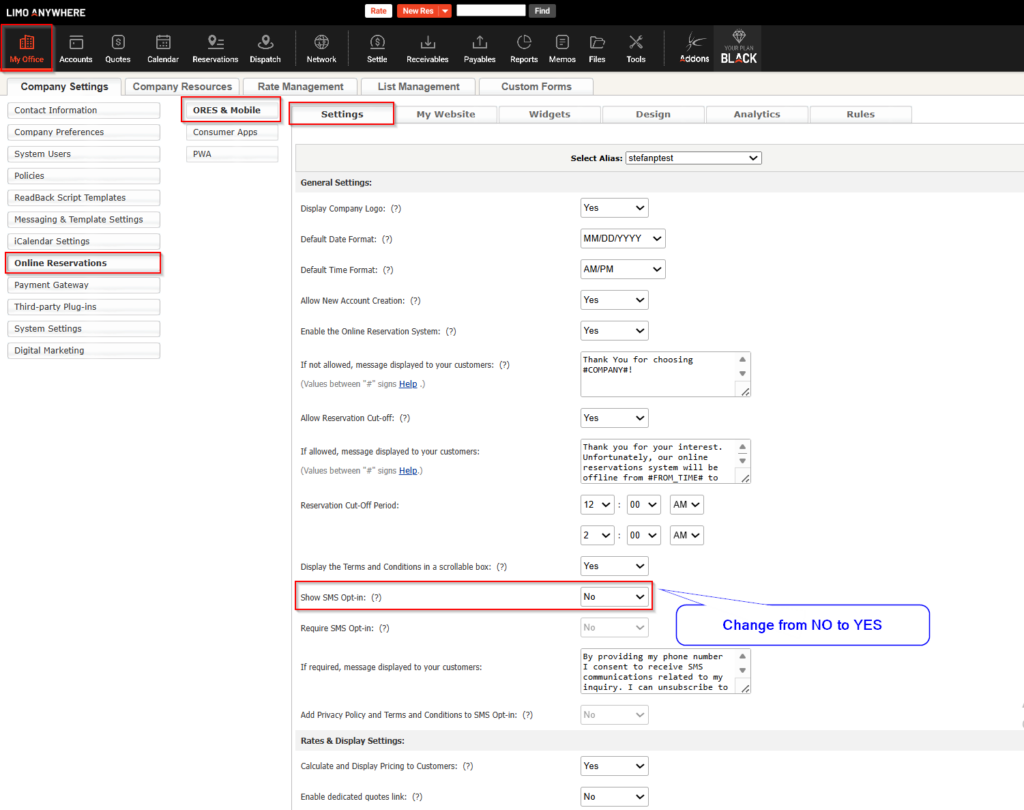
The SMS Opt-In Option can be found at My Office > Online Reservations > ORES & Mobile > Settings
Change the Show SMS Opt-In: from NO to YES, as shown on the screenshot below.
Once the Show SMS Opt-In option is enabled, the Require SMS Opt-In & Add Privacy Policy and Terms and Conditions to SMS Opt-In will become available as well.
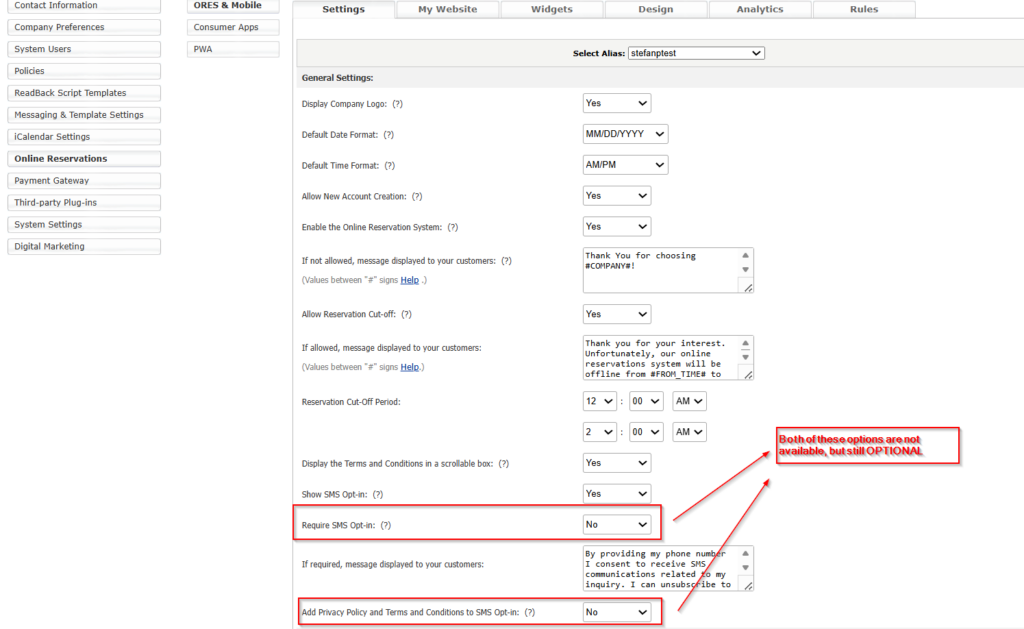
Require SMS Opt-In option:
- If set to YES, it will not allow guest users to submit bookings if they do not consent to the SMS Opt-In
- If set to NO, the SMS Opt-In will be optional
Add Privacy Policy and Terms and Conditions to SMS Opt-In:
- If set to YES, the sentence “For more information, please visit our privacy and terms and conditions.” will be added at the end of your SMS Opt-In verbiage.
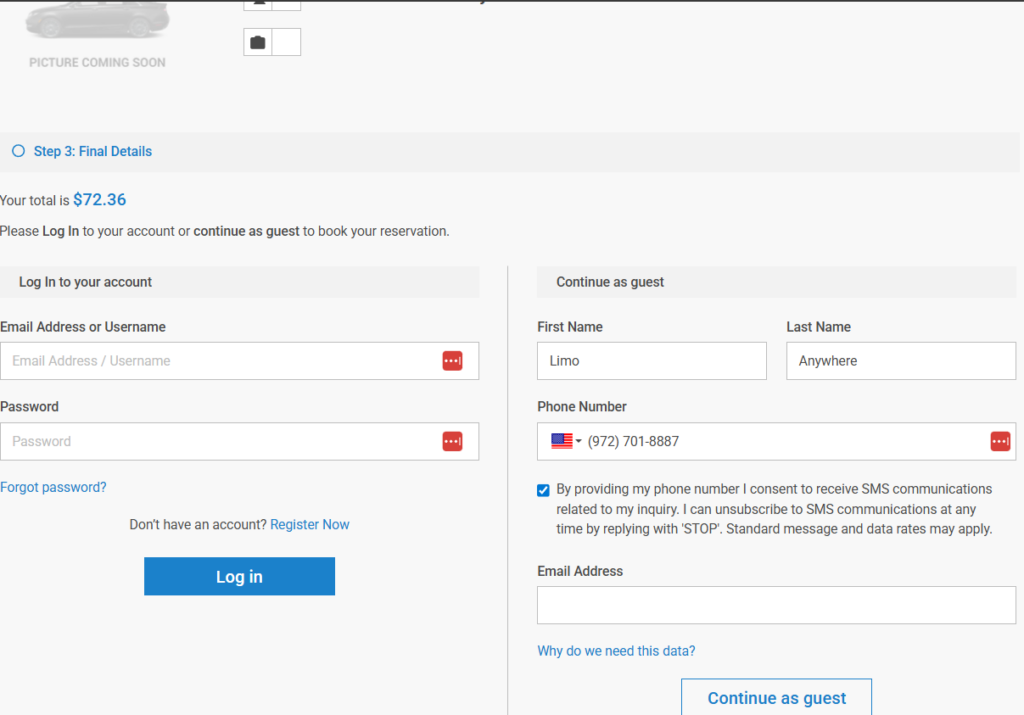
Before:
After: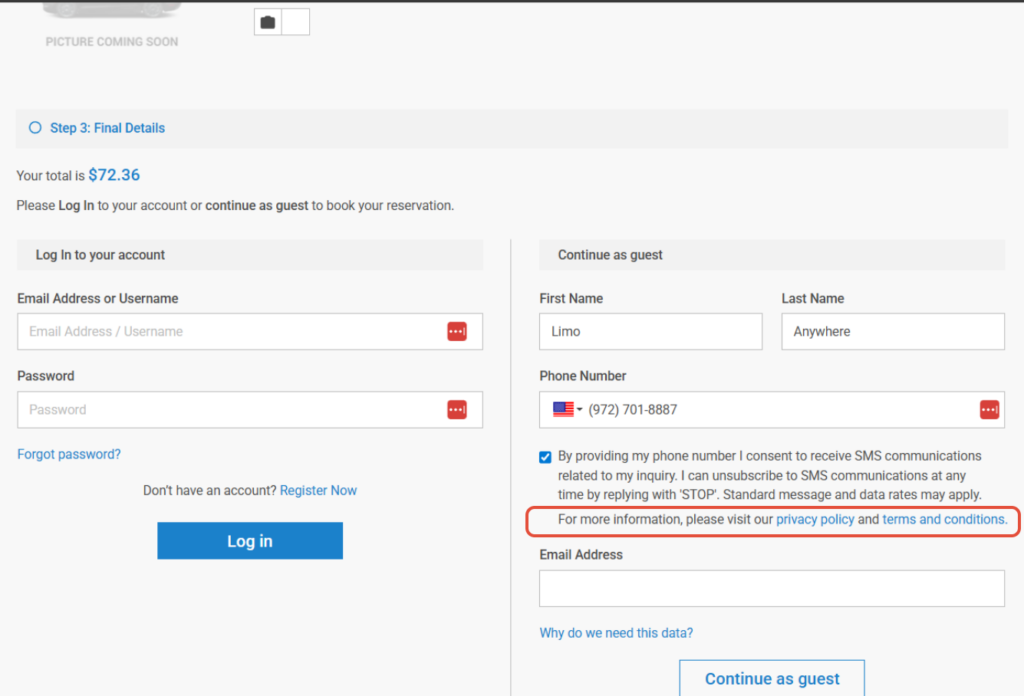
Additional Options
During the booking process, you have the ability to display Terms and Conditions requiring your clients to proactively accept said Terms and Conditions while entering their Card information and right before confirming their bookings.
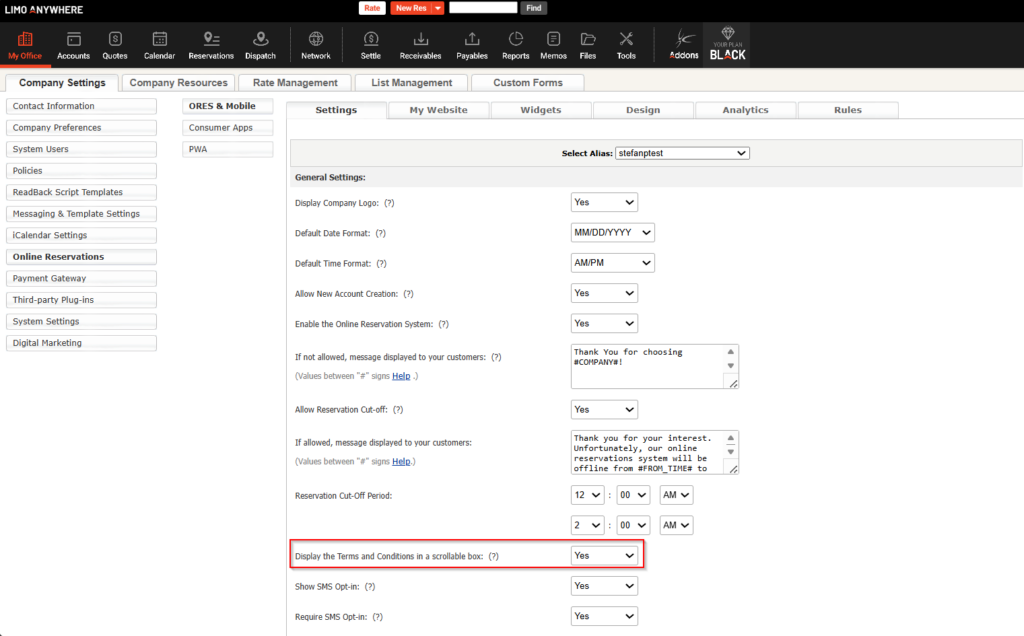
This option, after enabled, will display and require from your clients to proactively confirm the Terms and Conditions while entering their Card information, prior to completing their bookings.
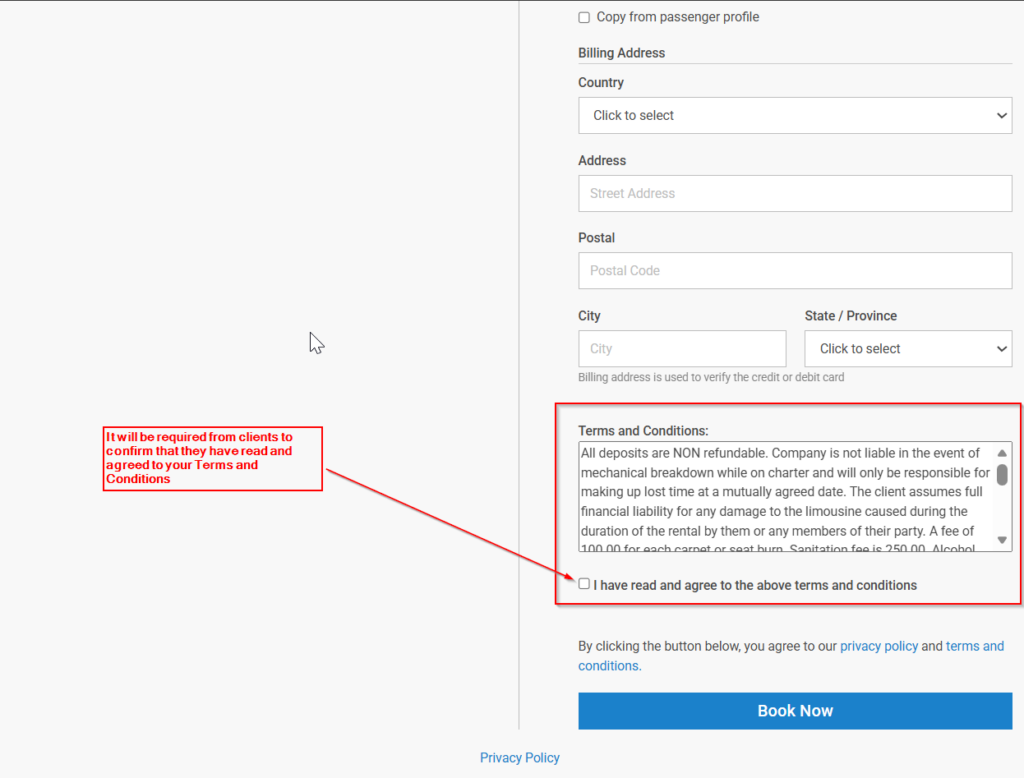
This option is not required for the SMS Opt-In Option to work properly.
Policies and Terms and Conditions
Instructions on how to edit and create Policies and Terms and Conditions agreements can be found on the following knowledge base articles: