

With a Limo Anywhere Pay merchant account, you have the ability to save your customer’s ACH bank details on file for future payments.
There are two ways this can happen.
Option 1 – Saving Details During a Payment Request
When your customer completes an ACH Payment Request, they will see an option on the authorization form to tick “Save my payment details for future payments.” If they choose to do so:
- A standing authorization agreement is presented to them, outlining that their bank details will be kept on file and used for future invoices per your service agreement.
- Their payment is processed for the current booking and their details are saved simultaneously.
- Their saved account will appear in your Pay With dropdown the next time you open the payment terminal for that customer.
Option 2 – Sending a Dedicated ACH Info Request
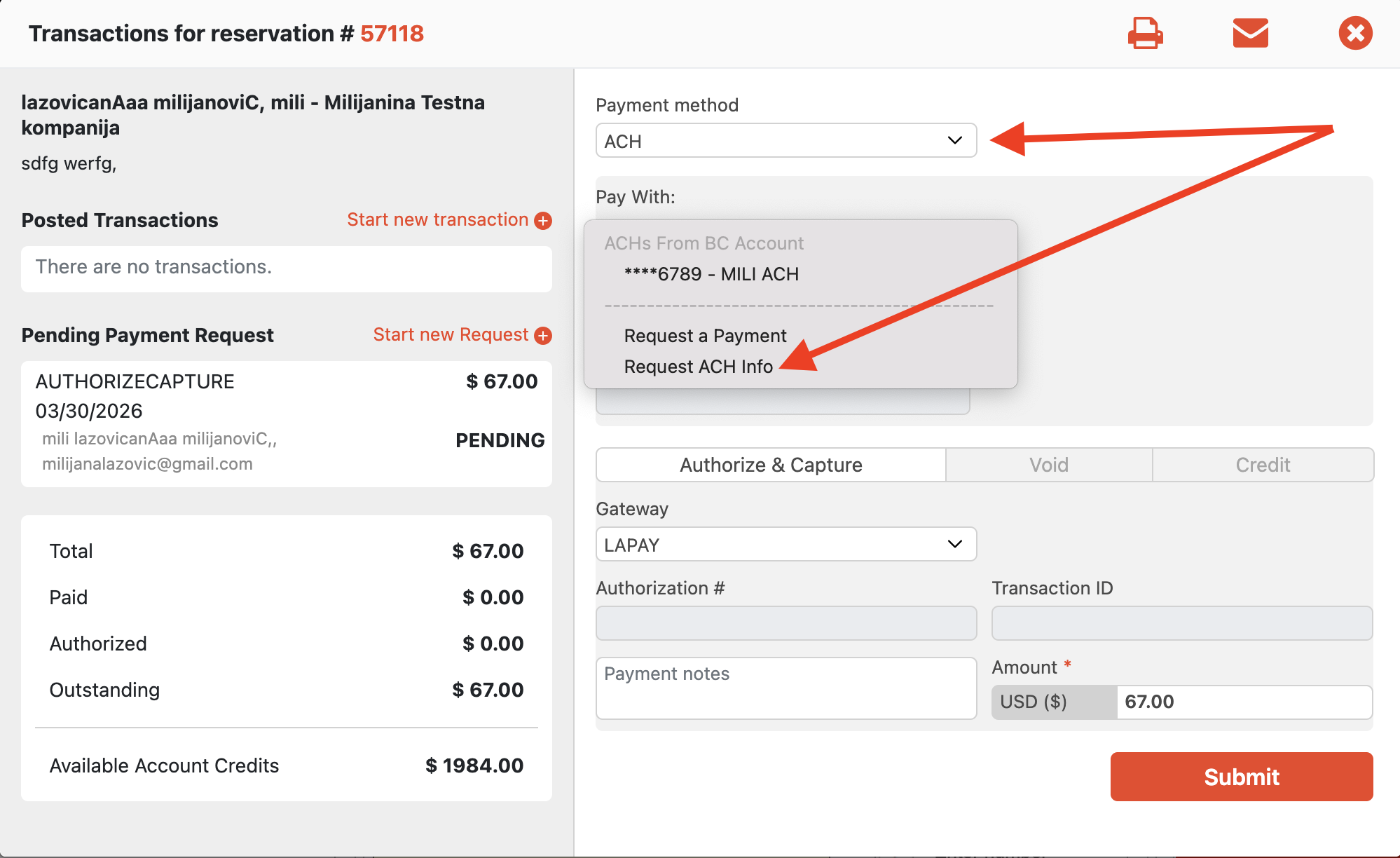
If you want to collect and save your customer’s bank details without charging them right now, you can send an ACH Info Request:
- Open the Payment Terminal for the relevant reservation, account, or invoice.
- Set the Payment Method to ACH and select Request ACH Info from the Pay With dropdown.
- Submit – your customer will receive an email with a secure link to the ACH Standing Authorization form.
No charge is made. Your customer is simply authorizing you to keep their details on file for future use.
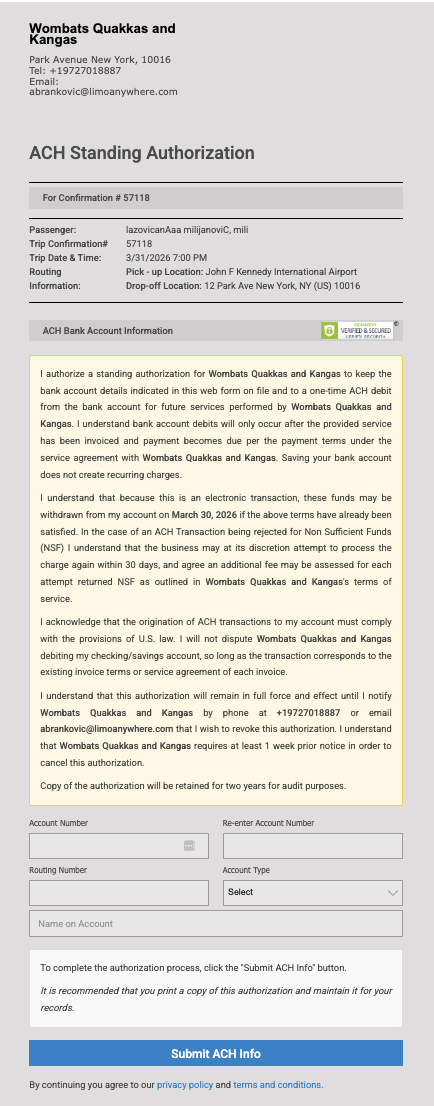
In addition to the above, if you send an ACH Payment Request to a customer with an account, when entering their ACH details they will have the option to specify if the account details should be saved for later use. For reference, please see: ACH Authorization and Your Security
For understanding ACH requests, how they work within Limo Anywhere, and how to complete one, please see: How to Compete an ACH Payment Request
Have questions? Reach out to the LA Support team and we will be happy to help.