

Creating a Privacy Policy
The Privacy function in Limo Anywhere allows you to display a Privacy Policy to your customers to assure them the data is safe. Some gateway providers, and some of your corporate customers may require a privacy policy to be displayed on your website.
To create a Privacy Policy:
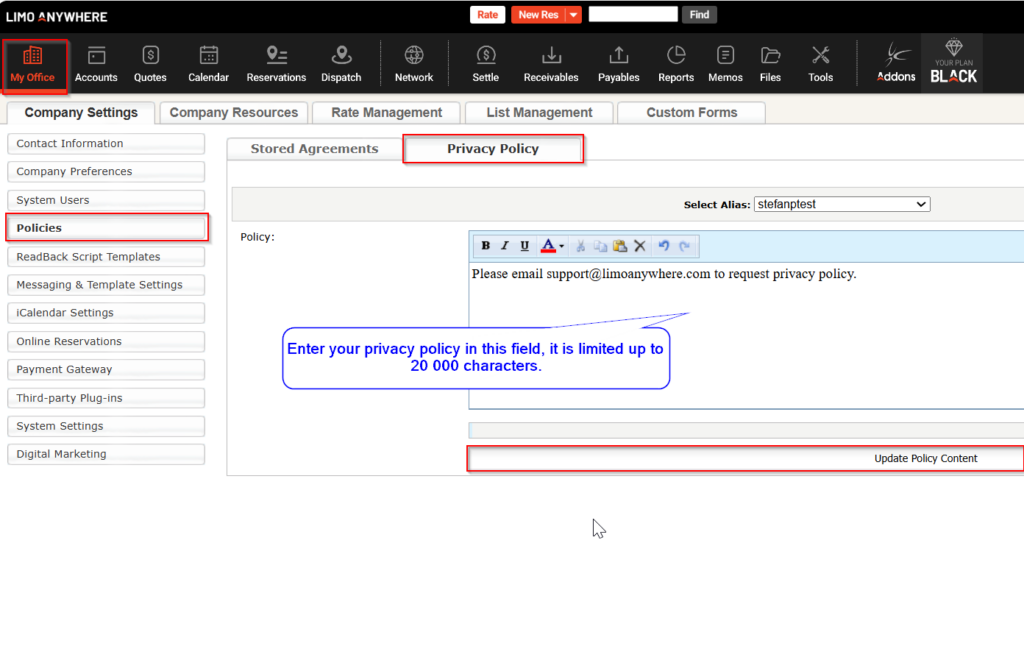
- Go to ‘My Office‘.
- Select the ‘Company Settings‘ tab.
- Click on ‘Policies‘.
- Select the ‘Privacy Policy‘ tab.
- Enter the Policy text.
- Click ‘Update‘ Policy Content to save.
During the reservation making process, Privacy policy can be displayed on three individual positions:
- Bottom of the booking form has a mandatory position for Privacy Policy, it is always displayed by default, and it cannot be disabled.
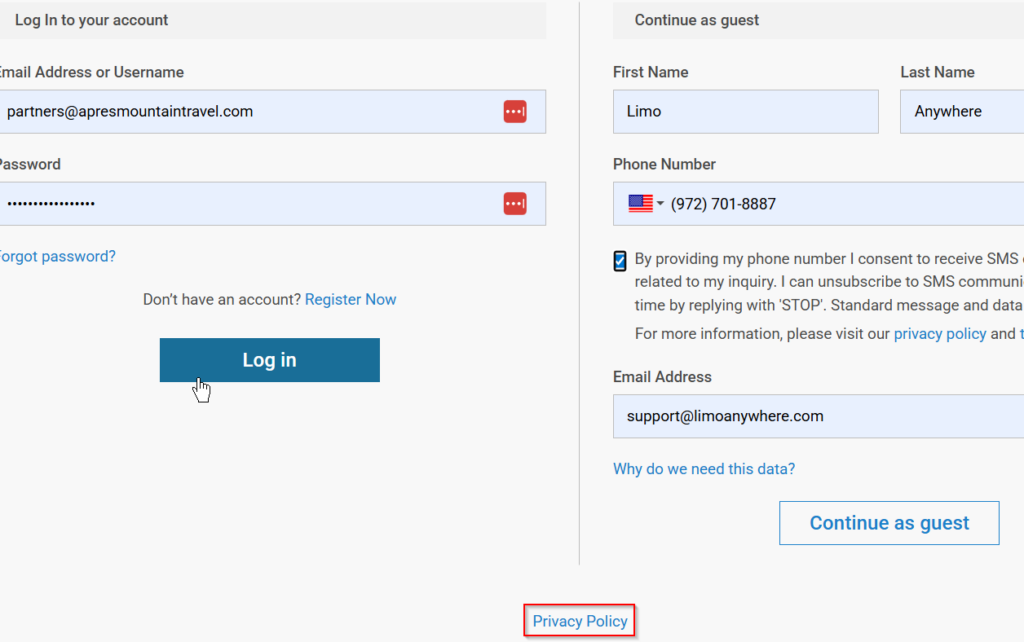
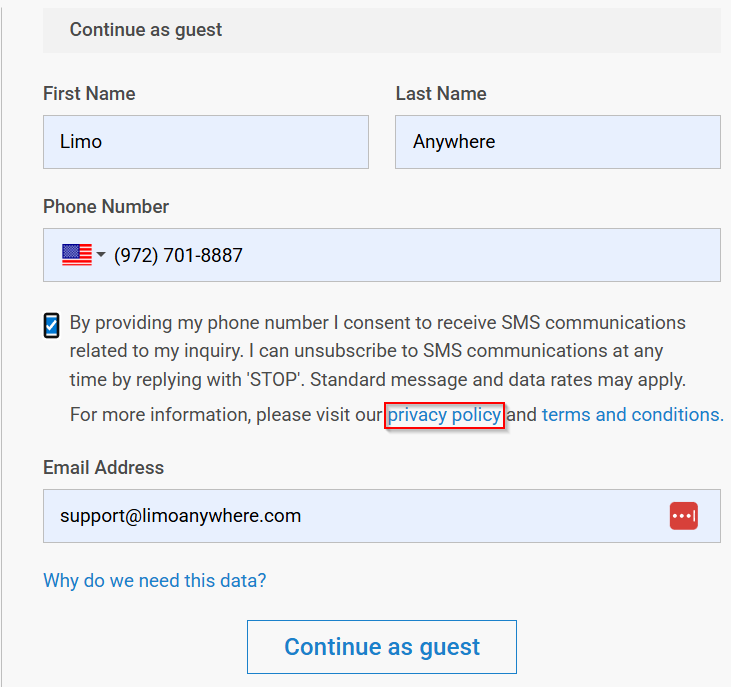
- During the second step of the reservation, when asked for your personal information, the SMS Opt-In option, if enabled, will display the Privacy policy information link as well.
- During the final step of the reservation making process, if you enable the option to Display the Terms and Conditions in a scrollable box:, Privacy policy information link will be visible as well.
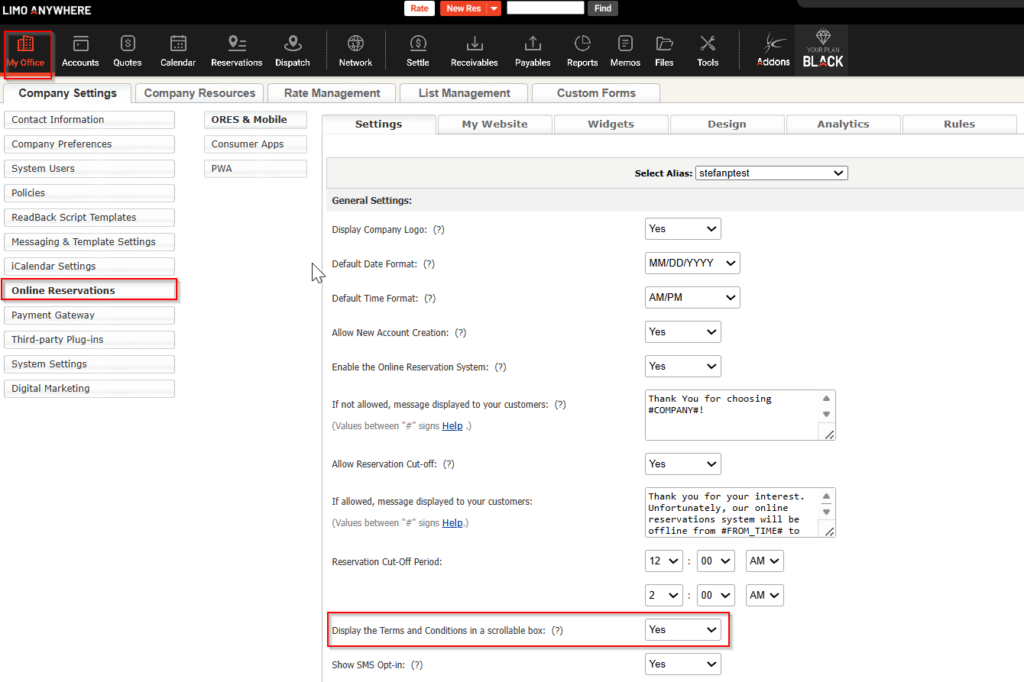
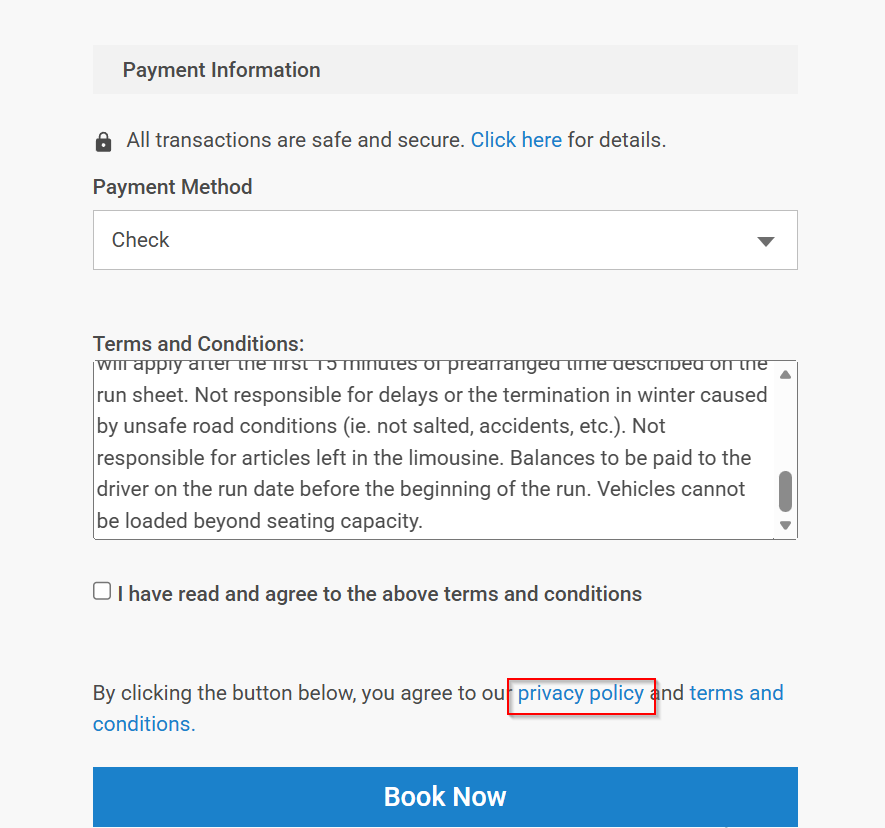
Terms and Conditions and SMS Opt-In Settings:
- How-to Setup SMS Opt-In Option in ORES 4 – Limo Anywhere Knowledge Center
- How To Manage and Create Rental Agreements and Policies – Limo Anywhere Knowledge Center
NOTE: The Privacy Policy is limited to 20,000 characters. If copying and pasting, please DO NOT use Microsoft Word. This can cause issues.
NOTE: If you require assistance writing a privacy policy there are many sources on line. We found one called Free Privacy Policy.com. Limo Anywhere makes no warranties stated or implied by this referral.