

With a Limo Anywhere Pay merchant account, you have the ability to send ACH Payment Requests directly to your customers for a specific booking or invoice.
An ACH Payment Request sends your customer a secure link via email. From there, they complete the authorization form and submit their bank details – the payment is then processed through the LA Pay gateway on their behalf.
Sending an ACH Payment Request
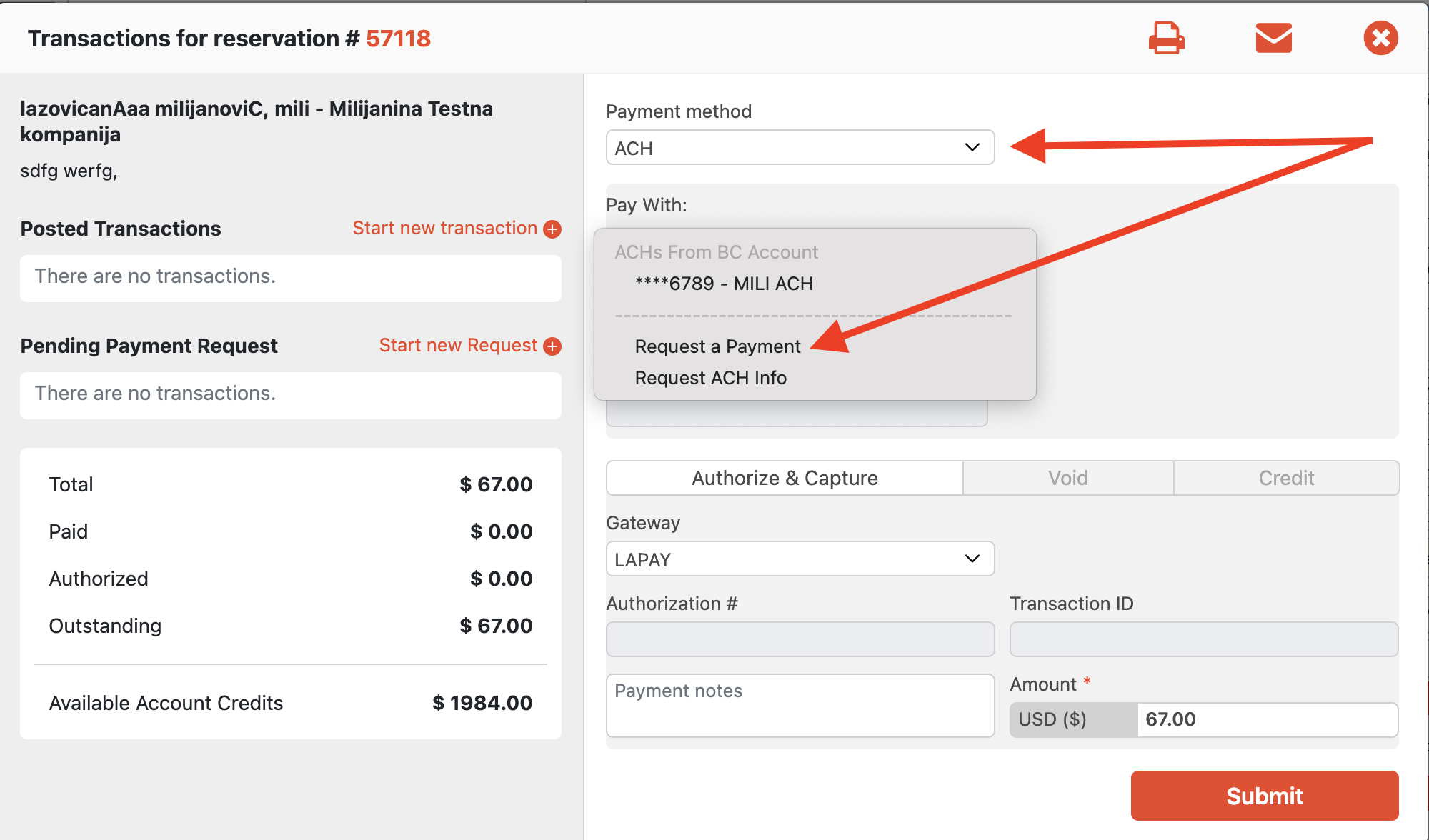
To send an ACH Payment Request:
- Open the Payment Terminal for the relevant reservation, account, or invoice.
- Set the Payment Method to ACH and select Request a Payment from the Pay With dropdown.
- Submit – your customer will receive an email with a secure link to complete their authorization.
What Your Customer Will Need to Provide
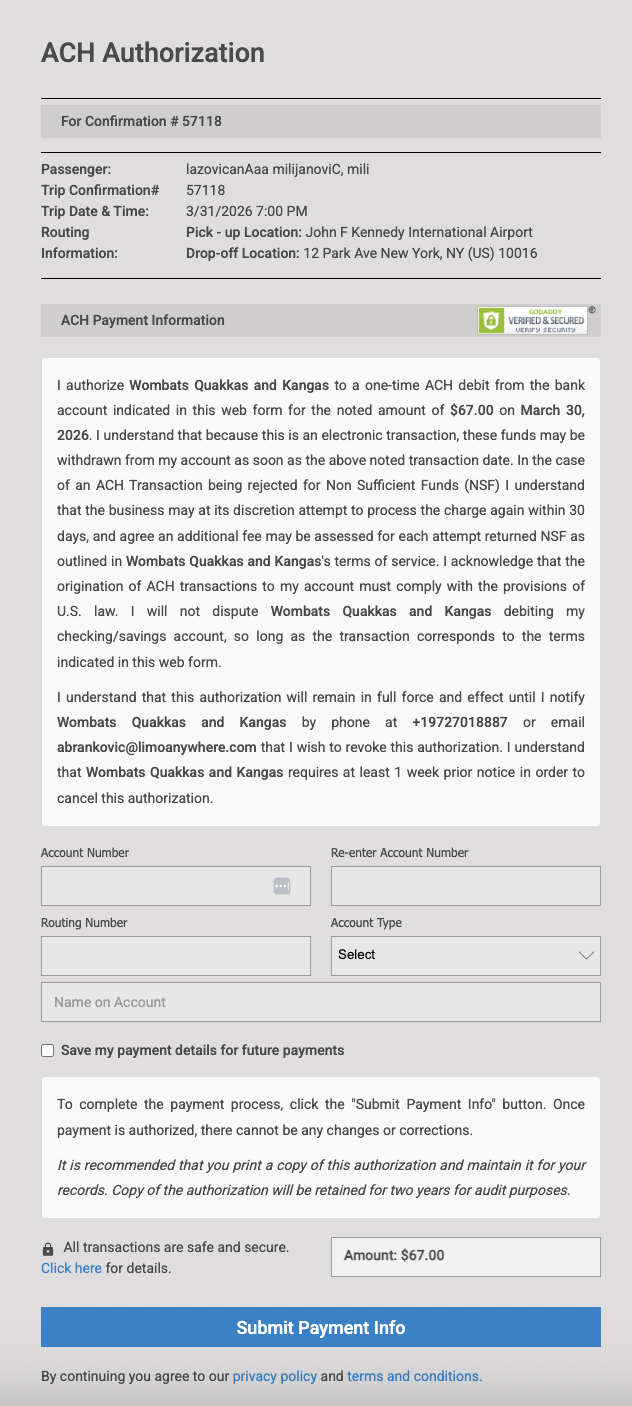
Your customer will be asked to fill in the following on the authorization form:
- Account Type – Checking or Savings.
- Account Number
- Routing Number
- Name on Account
After Submission
Once your customer submits the form:
- The payment is sent to the processor and will settle within 5-7 business days
- Your customer is taken to an ACH Authorization Confirmation page – they should print or save this for their records.
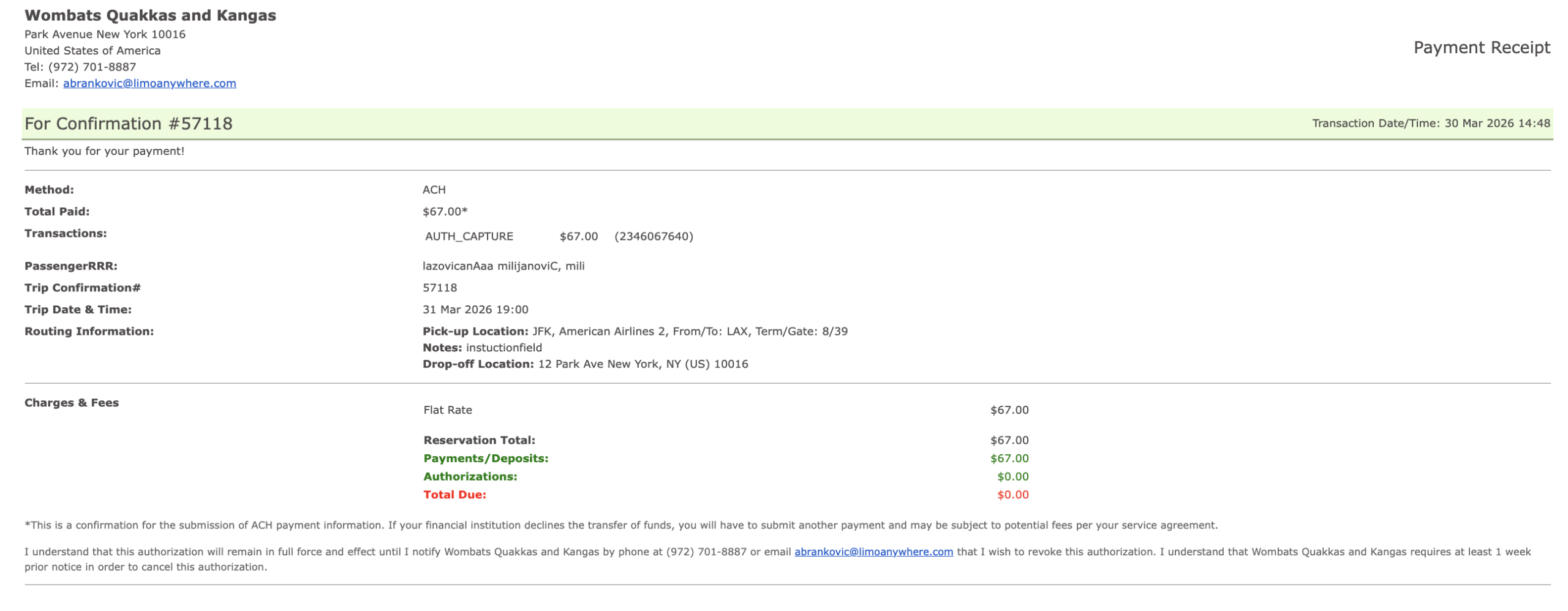
- A payment receipt is sent to your customer by email.
- Once submitted, the payment cannot be changed or corrected.
For understanding ACH returns and settlment failures, please see: Understanding ACH Returns
Have questions? Reach out to the LA Support team and we will be happy to help.