

With ACH payments, unlike credit cards, you will not know immediately whether a transaction was successful. Payments are submitted to the clearinghouse and settle over 5-7 business days – during this window, a transaction can come back as failed. This is called a Return.
What Causes a Return?
A return occurs when the banking network or your customer’s financial institution is unable to complete the transfer. Below are the most common return codes you may encounter:
| Return Code | Meaning |
|---|---|
| R01 | Insufficient Funds – the account did not have enough funds to cover the payment. |
| R02 | Account Closed – the account provided has been closed. |
| R03 | No Account / Unable to Locate – the account or routing number does not match any account on file. |
| R04 | Invalid Account Number – the account number structure is not valid. |
| R10 | Customer Advises Not Authorized – your customer has disputed the authorization. |
What Happens When a Return Occurs?
When an ACH Return is received, the following happens automatically:
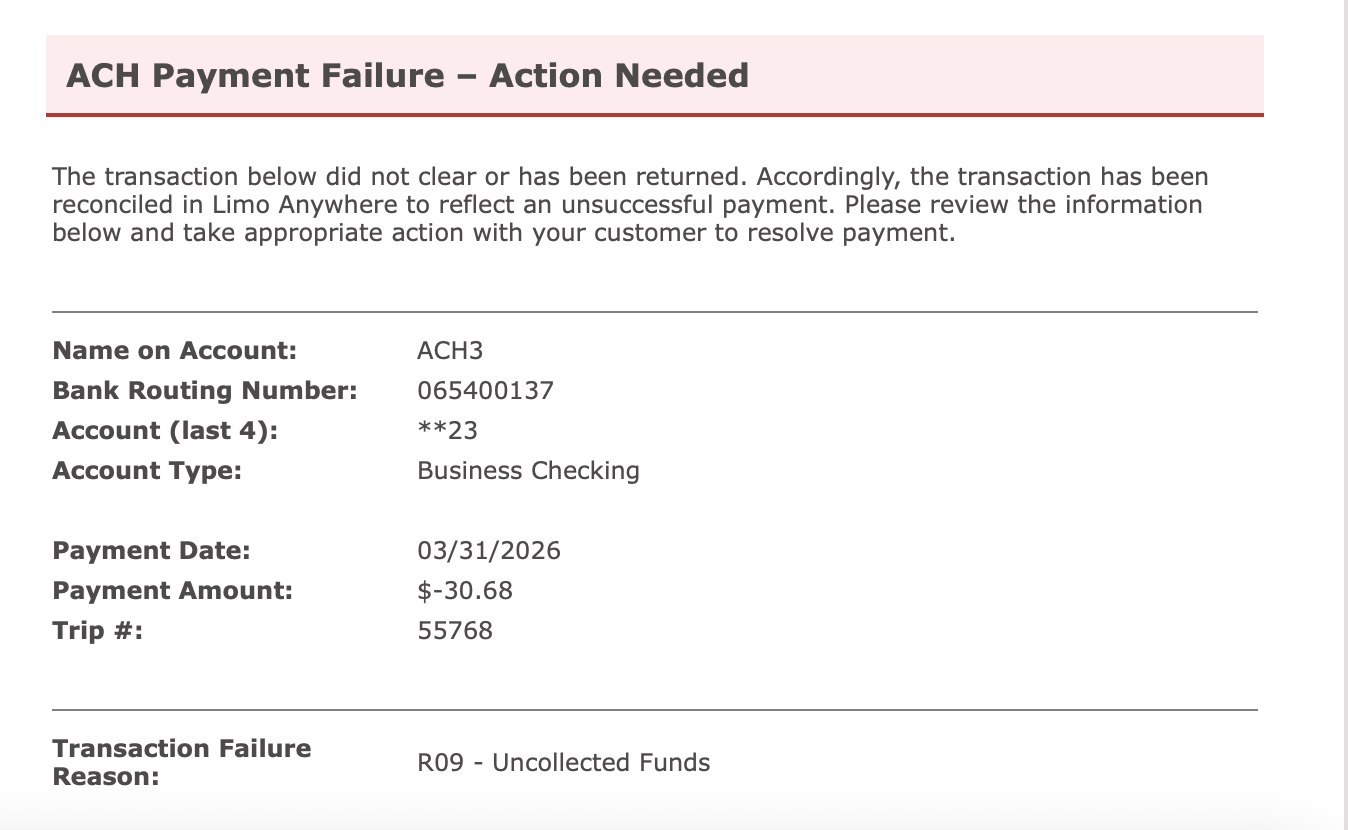
- You will receive an email notification at your billing email address. If no billing email is on file, the notification is sent to your general email address.
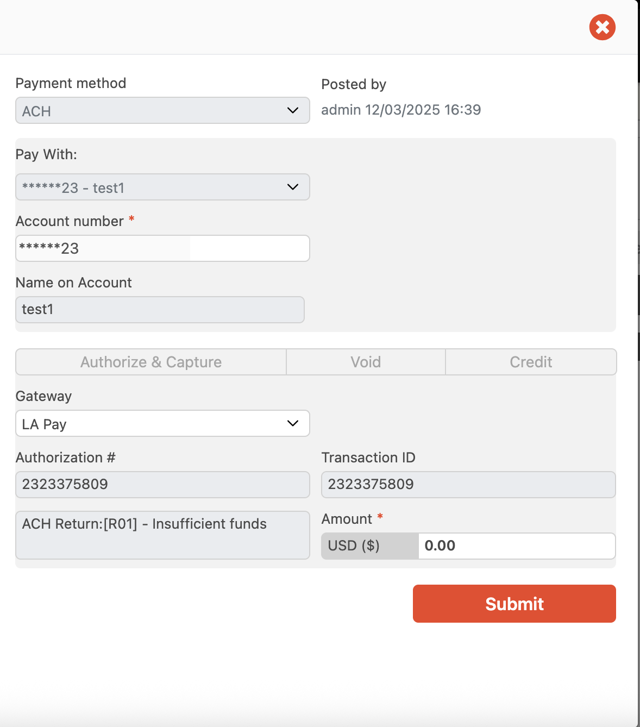
- The originally posted transaction is voided, with a note showing the return reason code.
- Your booking’s payment status changes from Paid back to Unpaid, restoring the outstanding balance.
What To Do After a Return
Once a return occurs, the outstanding balance will need to be collected again. You can send a new ACH Payment Request if your customer wishes to try again with updated bank details, or settle the balance using an alternative payment method. If you are accepting ACH from customers without an established payment history, we suggest requesting payment at least two weeks in advance of performing the work to ensure everything clears in time.
Have questions? Reach out to the LA Support team and we will be happy to help.