

LA Pay operates on an Interchange pricing model — one of the most transparent fee structures available in payment processing. This article breaks down how your fees work, what to expect on your statement, and how to request a Rate Review if you feel your rates could be more competitive.
What Is Interchange+?
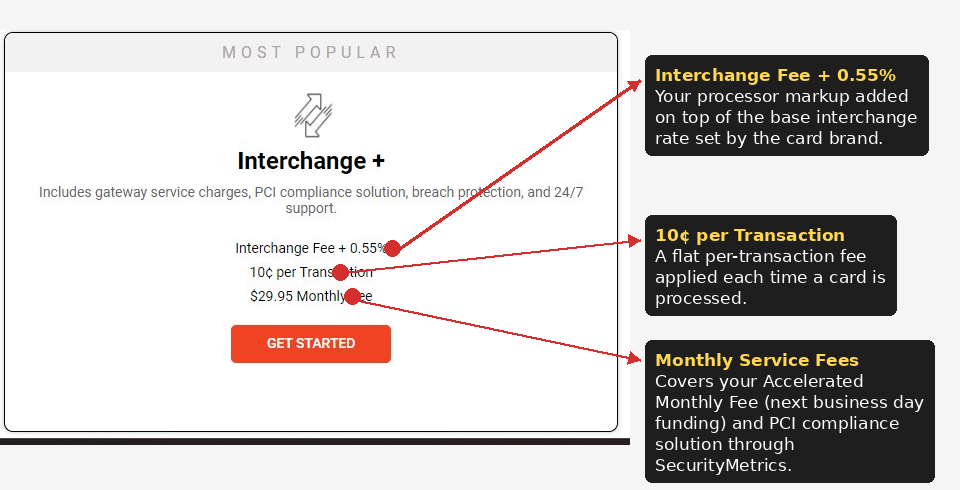
With Interchange+, you pay three components for every transaction:
- Interchange — The base rate set by the card brand (Visa, Mastercard, AMEX, Discover) for that specific card type and transaction. This rate is the same for every processor and is not marked up by LA Pay.
- Processor Percentage — A 0.55% fee applied to the transaction amount, added on top of interchange.
- Processor Flat Fee — A fixed $0.10 charge applied per transaction, regardless of the transaction amount.
This model gives you full visibility into what you’re paying and why — unlike flat-rate or tiered pricing, where fees are bundled and harder to break down.
You can view the LA Pay pricing structure directly within Limo Anywhere by navigating to My Office > Limo Anywhere PAY. Note that this view is only available prior to activation — once your account is live and processing, the pricing card will no longer be displayed. If you’re already processing with LA Pay and would like a breakdown of your current fee structure, reach out to Limo Anywhere Support and they’ll be happy to walk you through it.
Your Standard Fees
The following fees represent the standard LA Pay fee structure. Your actual fees may vary based on your processing history and transaction types.
- 0.55% processor fee per transaction
- $0.10 per transaction
- $29.95 combined monthly and PCI fee
Transactional vs. Non-Transactional Fees
Two categories of fees apply under Interchange+:
- Transactional fees — Applied at the time of processing, per transaction.
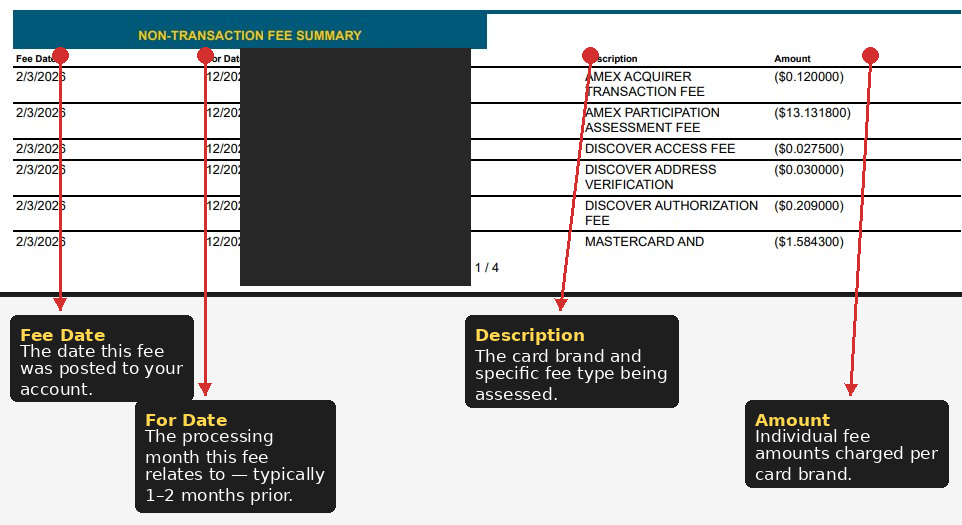
- Non-transactional fees (Card Brand / Network Assessment) — Set by the card brands themselves. These typically appear on your statement approximately 2 months after the transaction date.
The Non-Transaction Fee Summary section of your statement provides a full itemized breakdown of these charges, including the card brand, fee type, and the period they apply to. The Fee Date reflects when the fee was posted, while the For Date reflects the month of processing activity it relates to.
Reviewing Your Fees in MerchantTrack
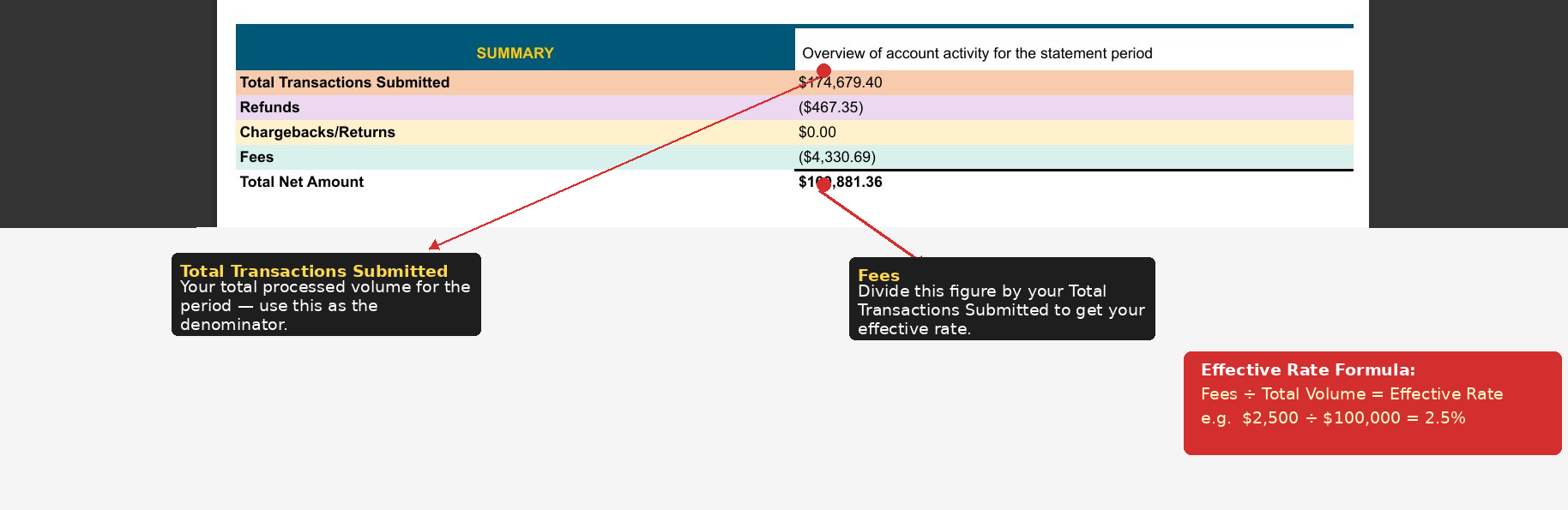
Your full fee breakdown is available in MerchantTrack at any time. To access it, go to Reports > Merchant Statement. Here you’ll find a detailed breakdown of processing fees, interchange fees, and your effective processing rate for any given period.
To calculate your effective rate, take the Fees figure from the Summary section at the top of your statement and divide it by your Total Transactions Submitted (your total processed volume) for that period.
Example: If your Fees total $2,500.00 and your Total Transactions Submitted is $100,000.00, your effective rate for that period is 2.5%.
Requesting a Rate Review
If you’ve been processing with LA Pay for 12 months or more and feel your current rates are no longer competitive, you can request a Rate Review by contacting Limo Anywhere Support. A Rate Review examines your processing history and activity to determine whether there is an opportunity to lower your rates.
Note: Rate Reviews are available after a minimum of 12 months of processing history.