

Improvements & Bug Fixes
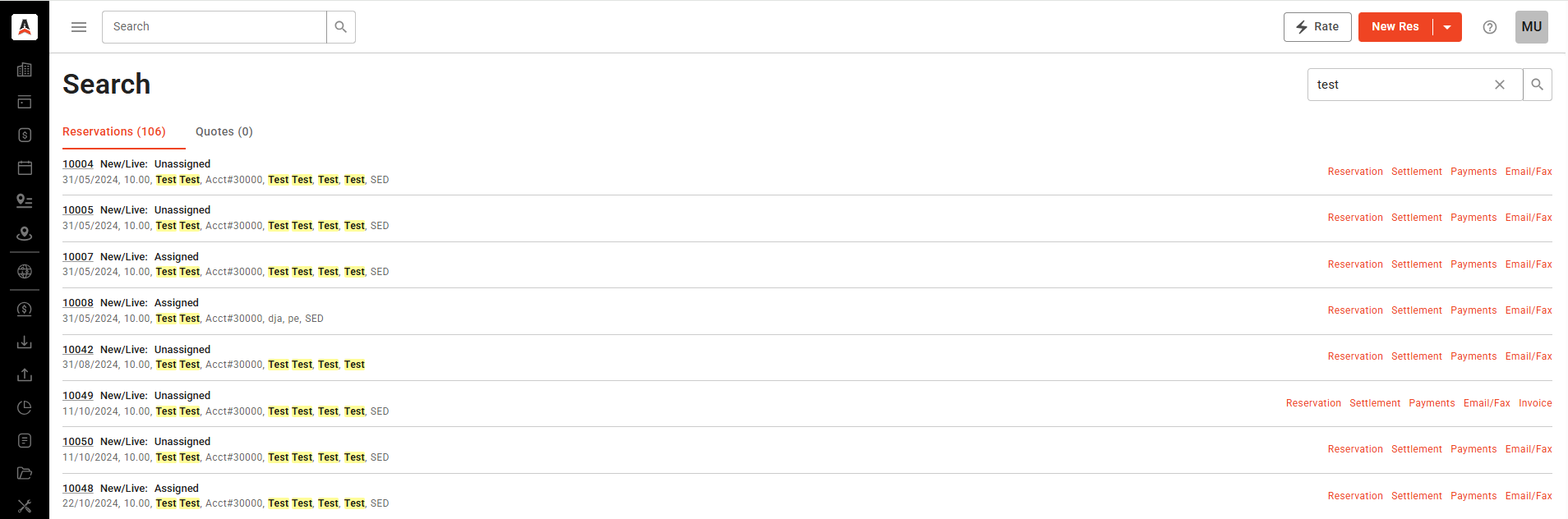
- New Dispatch Global Search: We have added the option for Global Search on New Dispatch, as requested by clients.

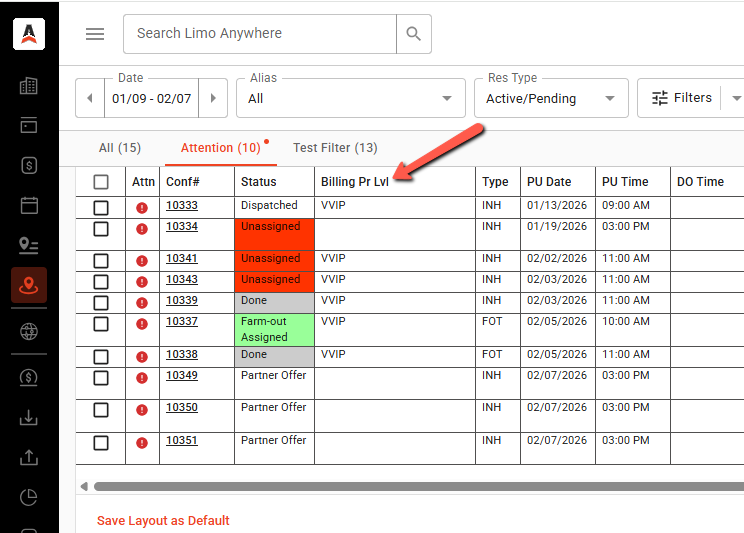
- New Dispatch – Billing Account Priority: Previously, on the Dispatch column/grid, there was only the option for the Priority Level for Passengers. We have added a column for Billing Account Priority, for the New Dispatch option.

- New Dispatch – Show car nickname/car code instead of car description (New Dispatch) – Currently, in the Trip Details view on New Dispatch, the Car field displays the Fleet vehicle description.
The display behavior will be as follows:
- If the Fleet vehicle has a Nickname, the Nickname will be displayed first, followed by the vehicle description in brackets.
- If the Fleet vehicle does not have a Nickname, the car code will be displayed first, followed by the vehicle description in brackets.
Please note: The same will be applied to the Quick Edit Car Assign option within New Dispatch
- New Dispatch Grid Start/End time: We’ve had an issue regarding Grid Start/End time causing inconsistencies to clients testing out/using the New Dispatch feature when modifying reservations. This has been addressed and fixed.
- New Dispatch: Currently, when using Backspace in either the Date or Time field, other fields become temporarily blank until the user begins entering information again in the field where the Backspace key was used. This has been addressed and fixed.
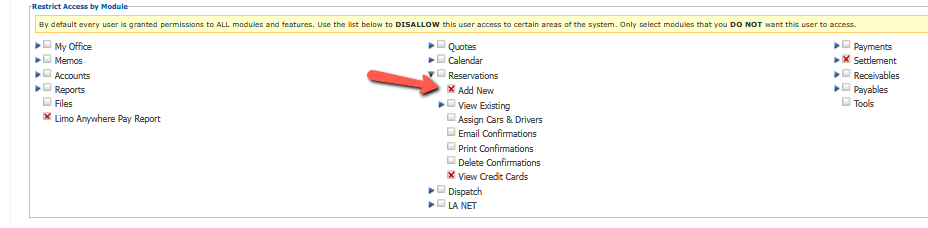
- New Dispatch – Hide “New Res” button: We have added the option to hide the “New Res” button on the New Dispatch for users. It is located under My Office > System Users, and accessible when editing a user’s profile.
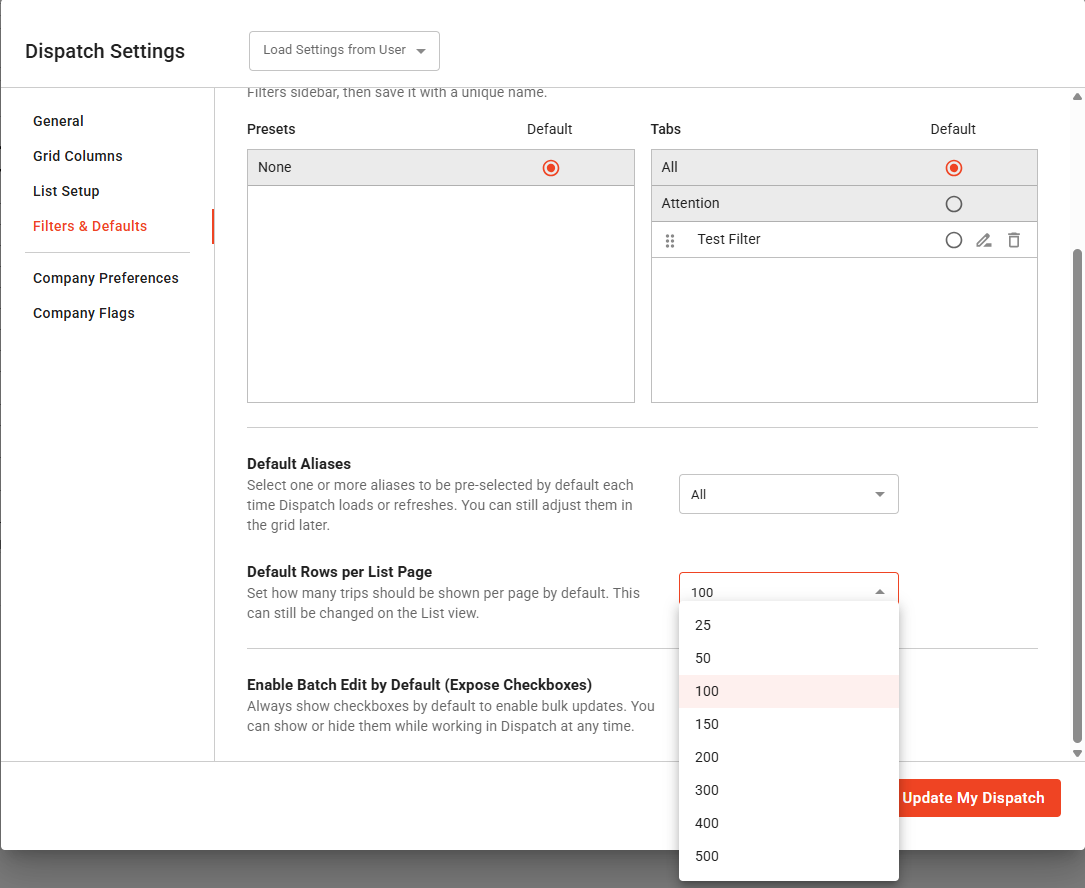
- New Dispatch – Extend option “Row per Page”: The previous option allowed to display from 25 – 200. With this update, the options for 300, 400, 500 have been added.
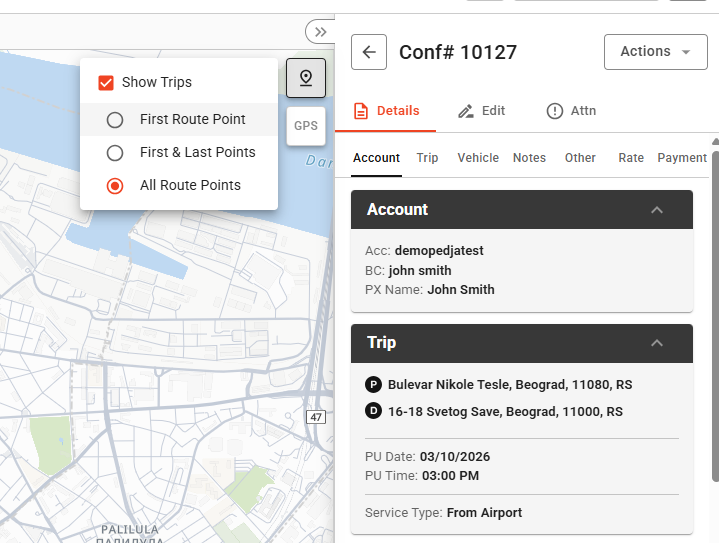
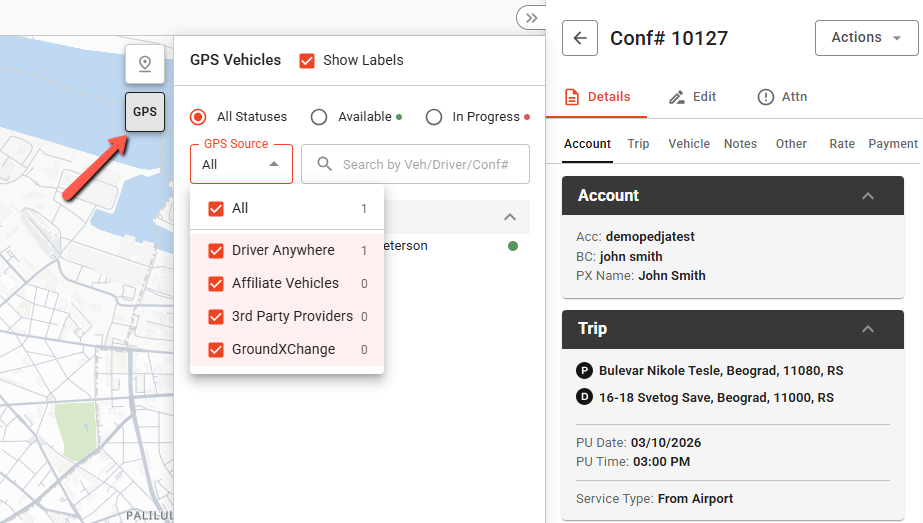
- New Dispatch – GPS: GPS has been enabled and is fully working within New Dispatch. When clicking on a car displayed in the GPS, a pop-up window will appear with information.

- Additionally, by clicking either the pin icon, or the GPS icon, users will be able to either view the POI’s or any other cars via the GPS map.
- Other Improvements for New Dispatch:
- We have fixed an issue regarding New Dispatch not loading multiple clusters correctly.
- Added a close (x) button to the Send SMS module modal (pop-up window).
Additional Fixes and Improvements:
- We have fixed an issue where the system would not allow users to process a refund with No Gateway for expired cards.
- We have fixed an issue where Scheduled SMS or Email messages sent themselves out on unaccepted Online Reservations (for example 24hr reminders). With this fix, the Scheduled messages will only send for Accepted reservations.
- We have fixed an issue with the GPS showed the Driver’s last location as “N/A“
- We have fixed an issue where the “Linked Reservations” section only displayed a blank pop-up window.
- We have fixed a previous issue with R&A (Reporting & Analytics) not saving column orders when added/rearranged.
- BMD (Bermuda Dollars) has been added as a currency.
- We have fixed an issue with PWA for clients using LA Pay. When customers entered CVV incorrectly, the error message would say “AVS” instead of “CVV”. This has been fixed.