

NOTE: Prerequisite is that drivers are on the Driver Anywhere versions (or later):
- Android 4.6.6
- iOS 4.6.4
We’ve introduced a new Calendar Sync option in the Driver Anywhere (DA) menu, allowing drivers to add their assigned trips directly to their device’s calendar.
Key Details:
- When selected for the first time, the app will request permission to access the device’s calendar.
- Drivers can choose which calendar they’d like to sync their trips to.
- Once confirmed, trips will be added to the selected calendar.
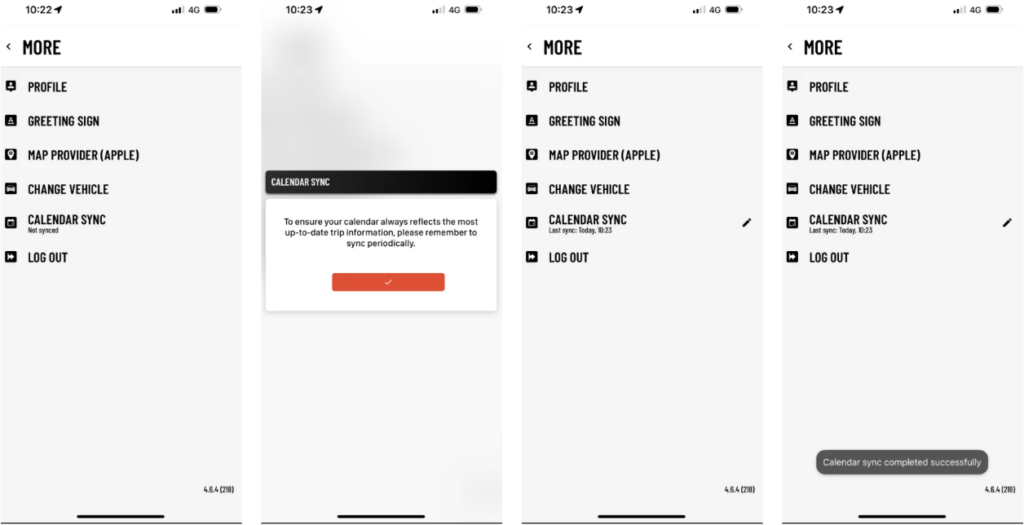
This is a manual sync feature. If there are any updates to existing trips or new trips are assigned, drivers will need to re-initiate the sync process to reflect the latest information.