

“Request a Card” – A Secure and Seamless Way to Collect Payment Details
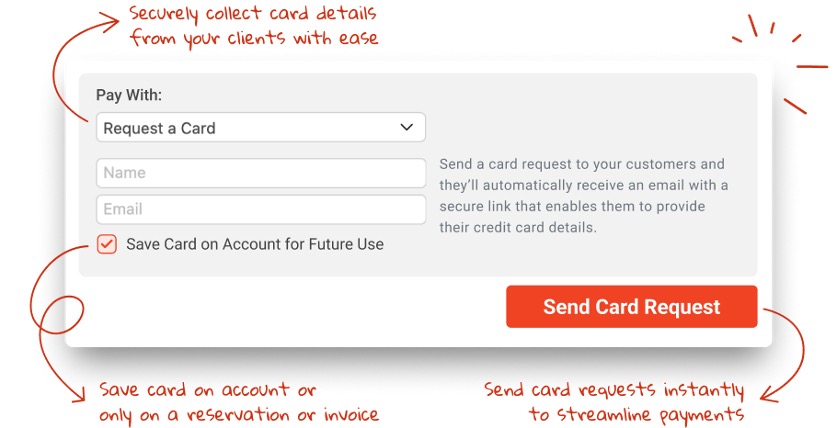
Managing payments securely and efficiently is crucial for any transportation business. With Limo Anywhere’s feature, Request a Card, operators using LA Pay Gateway now have a streamlined way to collect customer payment details—enhancing security, reducing manual data entry and ensuring smoother transactions.
What is Request a Card?
This feature enables you to send a secure email link to customers, allowing them to safely enter their credit card details. Once submitted, the system verifies the card with a $1 authorization (immediately voided) and securely stores it for future use on reservations, invoices, or customer accounts—depending on your preferences.
How Does It Work?
The Request a Card feature is similar to Request a Payment, but instead of charging the card, it simply stores the details for future use.
Send a Request:
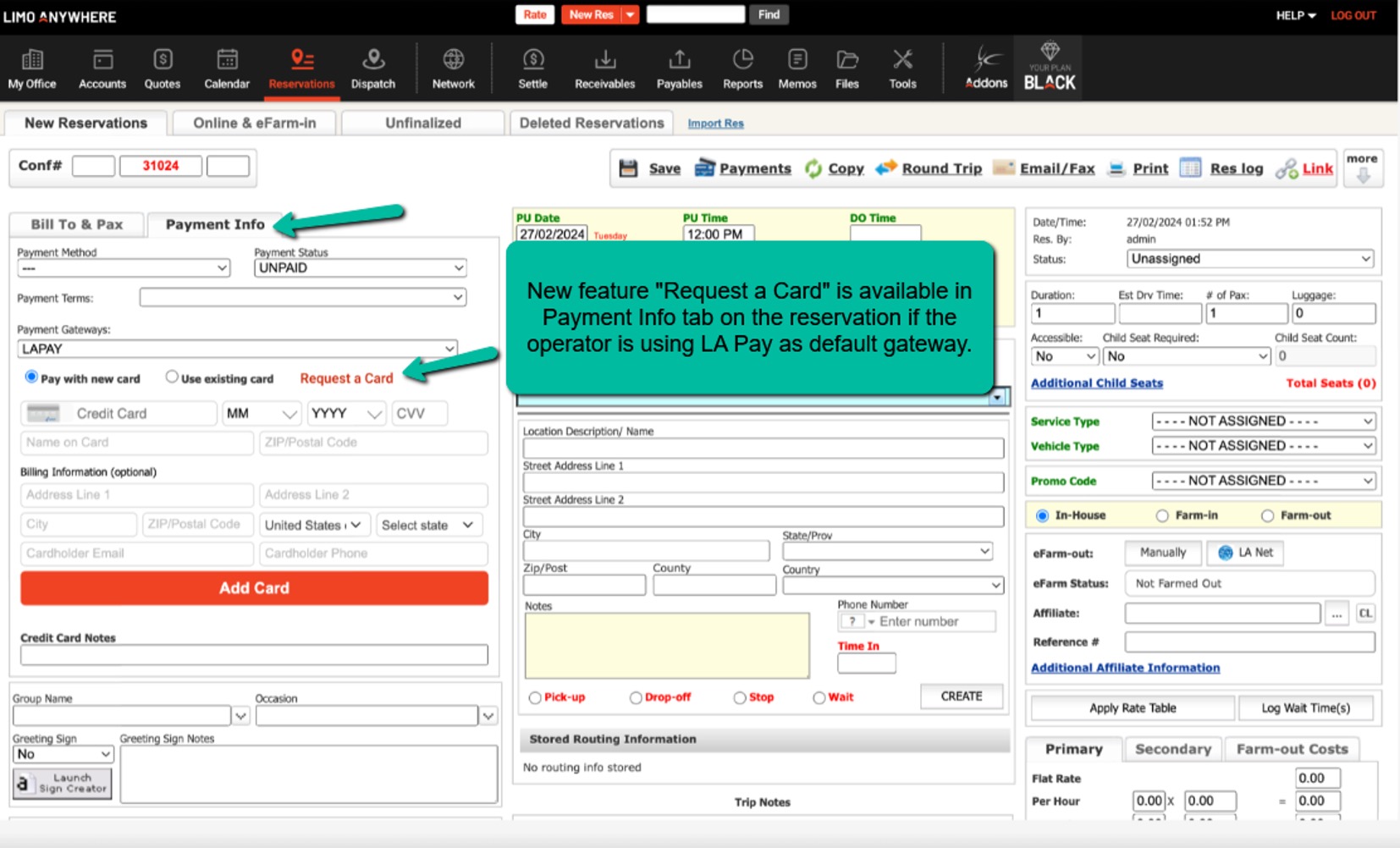
- From Reservations (Payment Info tab & Payment Terminal)
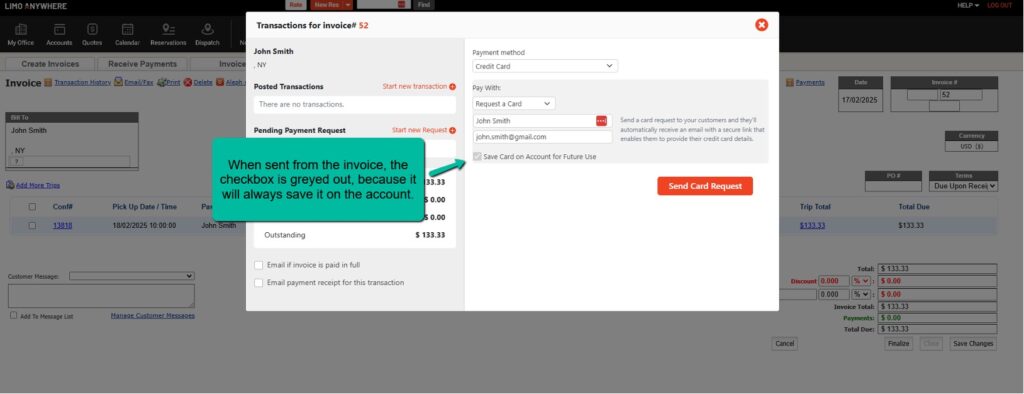
- From Invoices
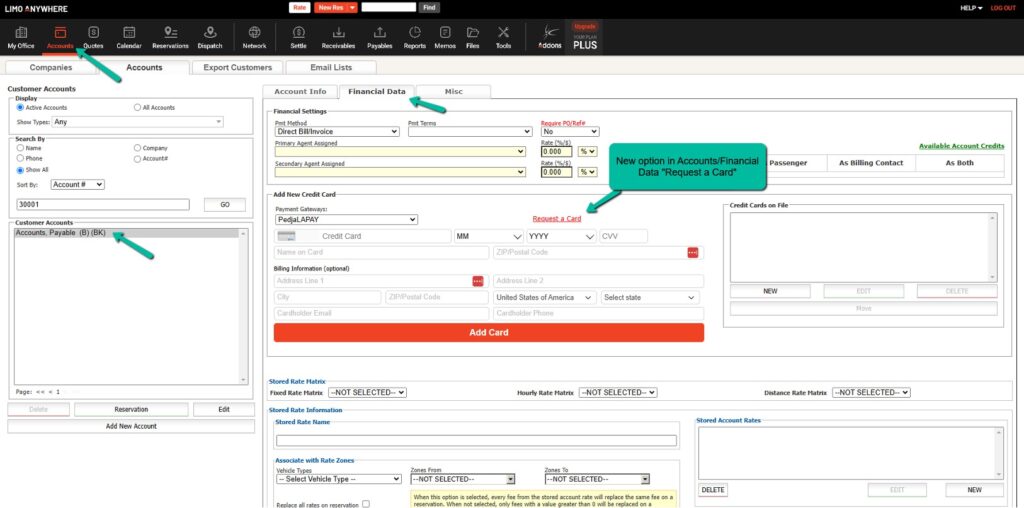
- From Account Section (Financial Data Tab)
Customer Receives a Secure Email:
- The email contains a link to a secure form where they can enter their payment details.
- The system verifies the card and securely stores it based on selected preferences.
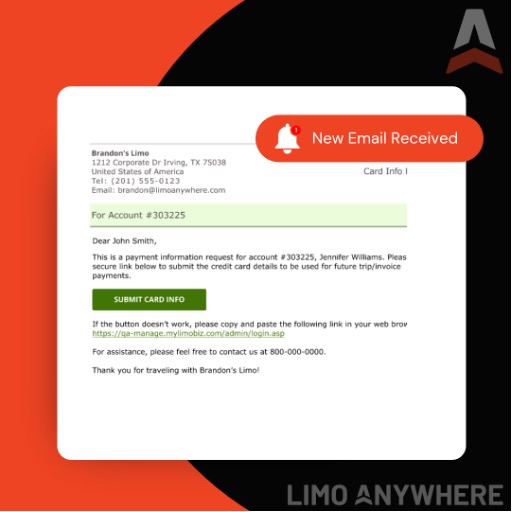 Example of the email “Request A Card” sent from Account, Account Trip and Invoice
Options for Saving the Card:
- ✅ Save Card on Account for Future Use – The card is stored for future transactions tied to that customer.
- ✅ Save Card on Trip or Invoice Only – The card is stored only for that specific transaction.
- ❌ Guest Trips – The card is stored on the trip, but not linked to an account.
Where Will You See This Feature?
Operators can access the Request a Card option from:
✅ Reservations – Payment Info tab
✅ Invoices – Payment Terminal
✅ Account Section – Financial Data tab
Benefits of Using Request a Card
🔒 Enhanced Security
Instead of manually collecting and entering card details, this feature ensures customers provide their payment information through a secure, encrypted link—reducing risks associated with storing sensitive data.
⏳ Saves Time & Reduces Manual Entry
Eliminate the need to call customers for payment details or manually enter credit card information. Request a Card allows customers to enter their details at their convenience.
📊 Improves Cash Flow & Payment Processing
Having payment details securely stored means faster transactions when it’s time to process a charge, reducing delays in payments.
🔄 Seamless Integration with Scheduled Messaging
With new scheduled message tags, you can automate reminders to customers to enter their payment details:
- #CARDREQUESTACCOUNT# – Request a card for an account.
- #CARDREQUESTTRIP# – Request a card for a specific trip.
- #CARDREQUESTINVOICE# – Request a card for an invoice.
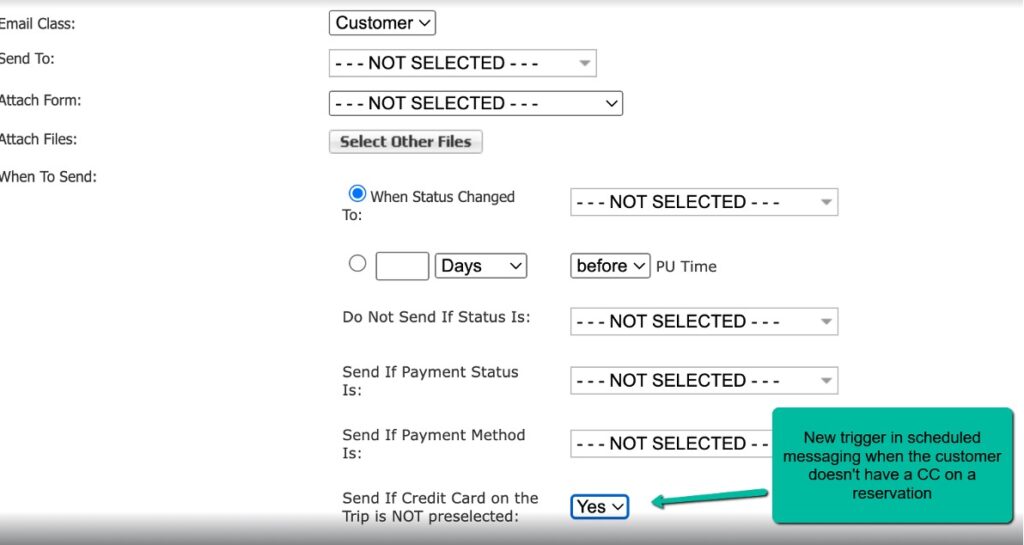
Additionally, a new trigger ensures an automatic email or SMS is sent if no credit card is preselected on a reservation.
For a step-by-step guide, check out the full release notes:
👉 February 20, 2025 Release Notes