

Improvements & Fixes
- Res By will now show ‘GroundXChange’ for inbound trips that were sent from GroundXChange. Additionally, for the New Dispatch, it will show a GX icon/label.
- Previously, when receiving a trip via GroundXChange, operators would not receive notification emails even with the setting set to ‘yes’. This has been fixed.
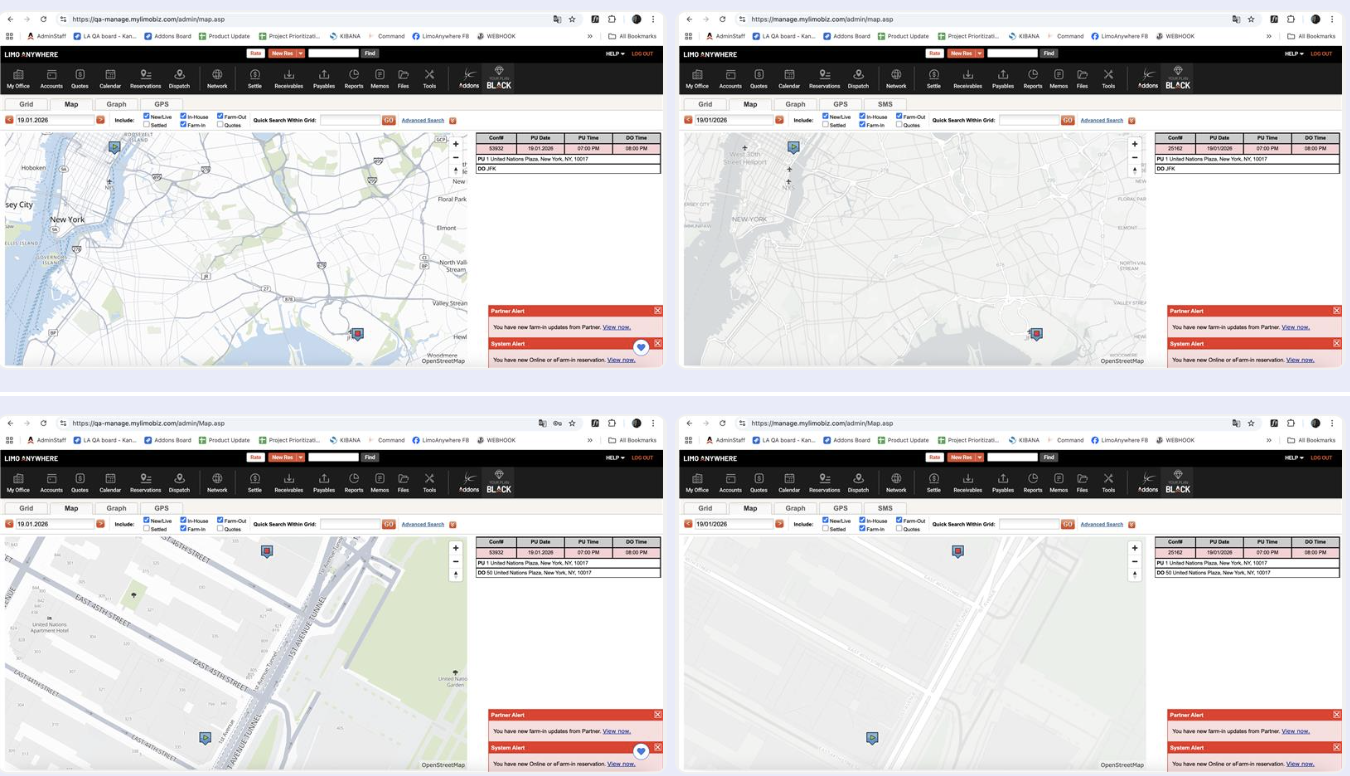
- The Dispatch GPS maps have been enhanced, allowing for a clearer and more user-friendly view.
- Fixed an issue where, if operators had multiple reports open in R&A. If the user looked at one report and then switched to a different one, all other reports that were open in the background would went to page one. This has now been fixed.
New Dispatch Improvements:
These are all the options added to the New Dispatch with this update:
- Added options to choose “Style” for the New Dispatch Map, allowing users to switch their views from Light Mode, to Dark Mode, as well as Satellite view.
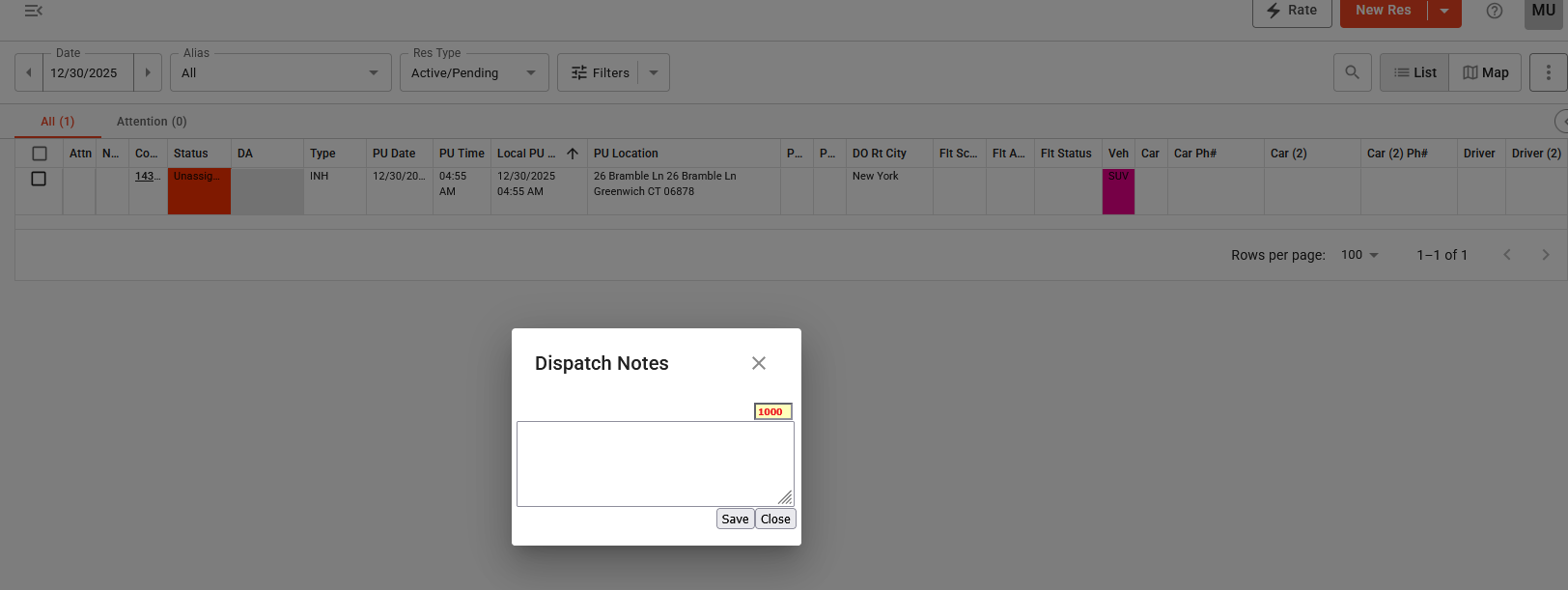
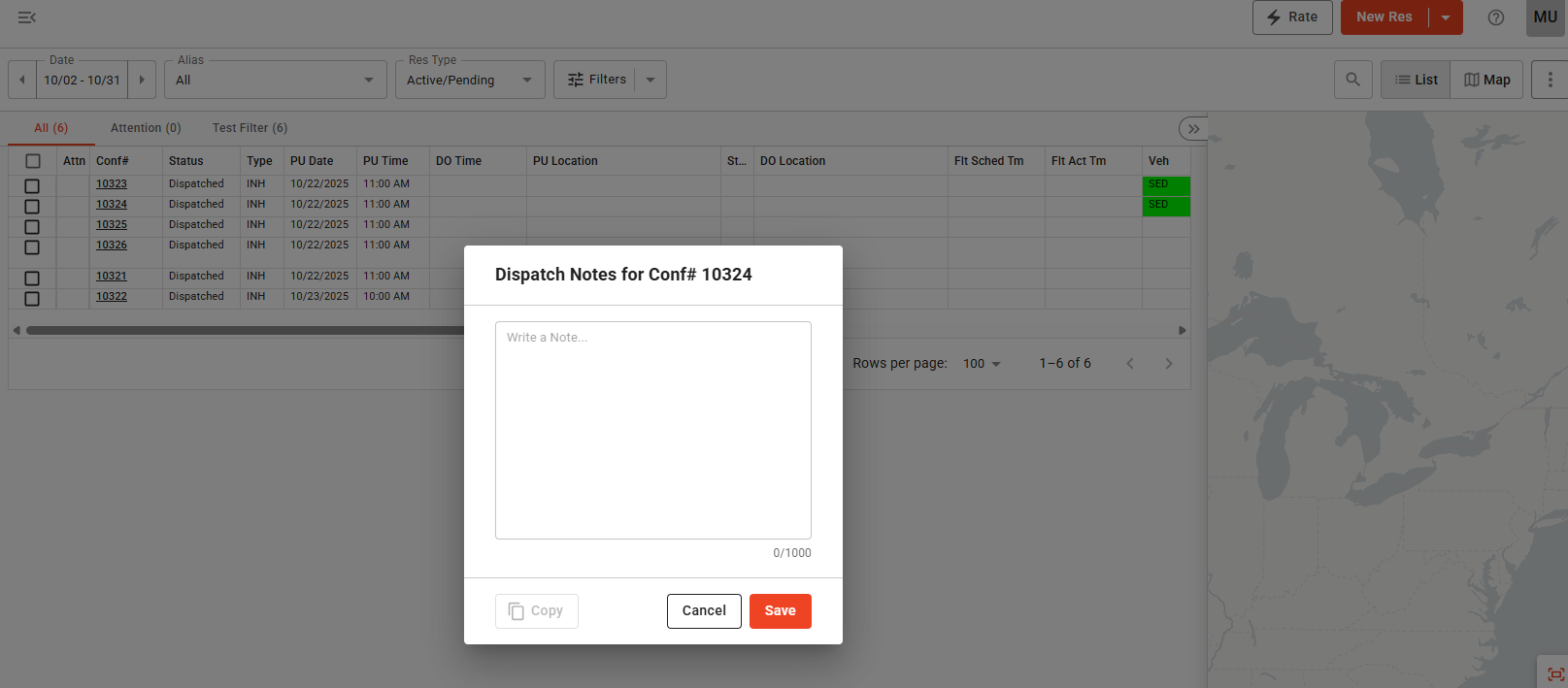
- A new and improved view for Dispatch and Partner Notes has been added.The Previous view:
The New view:
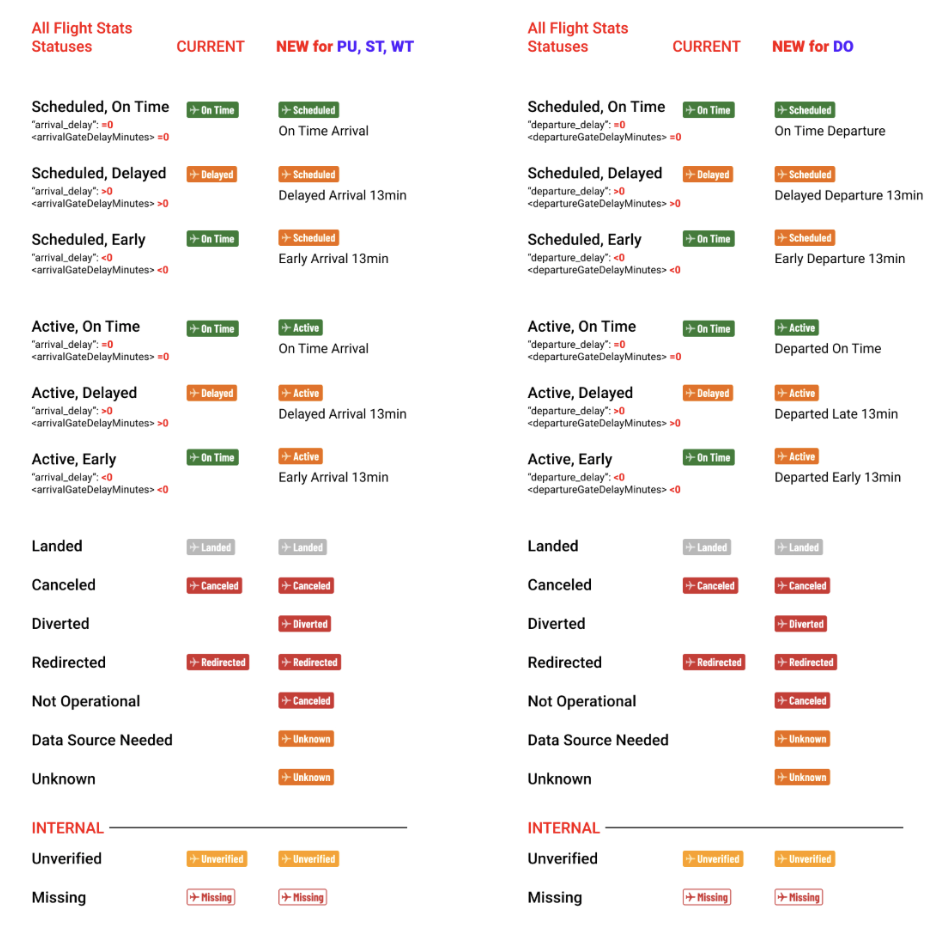
- The New Dispatch will also be getting updated labels for Flight Stats columns. Here are the old and the new labels, including how they’ll look for Pick-ups, Drop-Offs, Waits and Stops:
- We have fixed an issue with the New Dispatch, where if reservations had multiple airports in routing with verified flight numbers, the ‘is_verified’ flag would not give the correct information.